100% on-device processing

Every document, slimmed down and ready in seconds.

Scan documents, compress photos to an exact KB size, resize to exact pixels and merge PDFs. Everything you need to get through any online form, on your iPhone.

No account needed Works offline Files never leave your phone
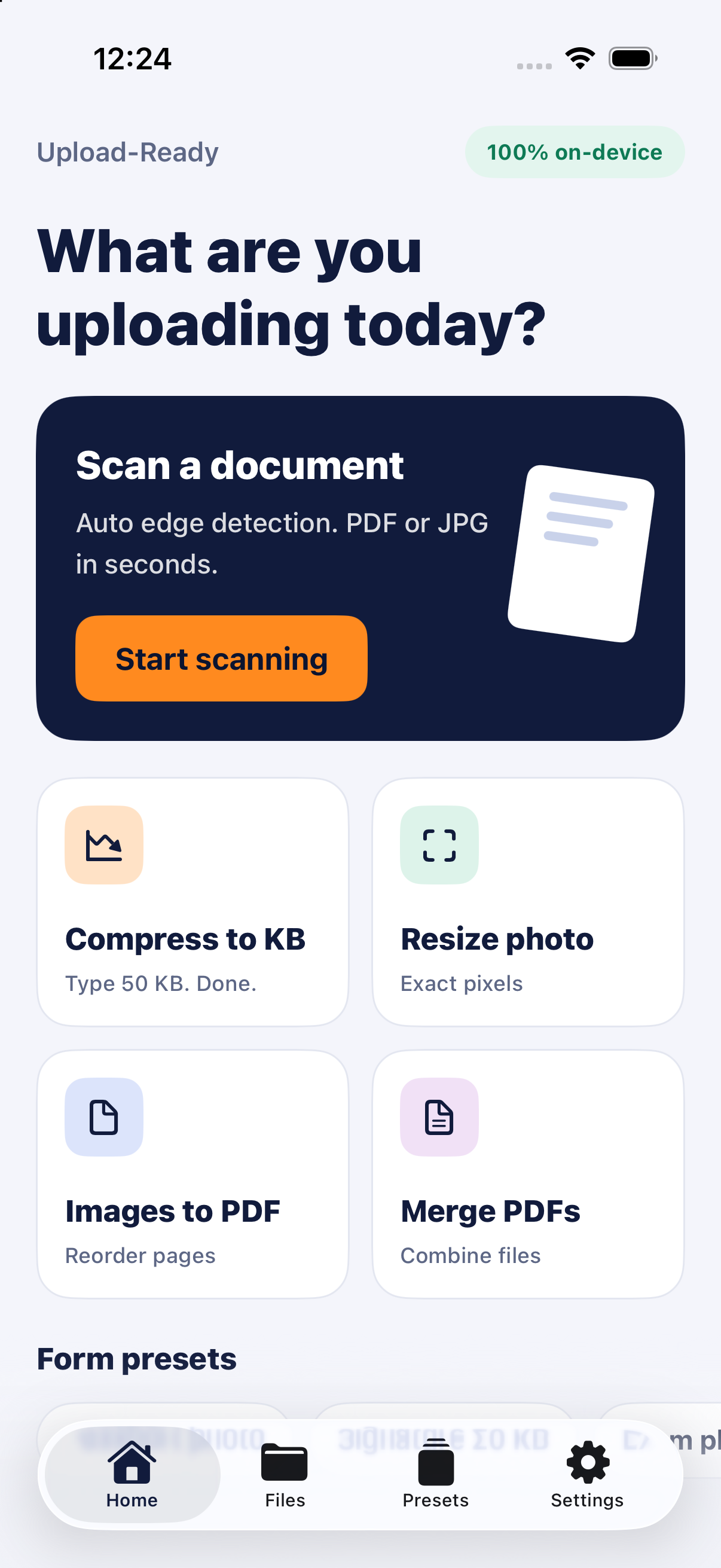
DocSlim home screen showing Scan a document, Compress to KB, Resize photo, Images to PDF and Merge PDFs
Features

One app for every upload requirement.

Government portals, exam forms, visa applications and job sites all have strict file rules. DocSlim handles them for you.

Scan a document

Point your camera at any paper document. Automatic edge detection finds the page, straightens it and cleans it up into a sharp PDF or JPG.

Auto edge detection

Compress to KB

Type a target such as 50 KB and get a file that fits, at the best quality that size allows.

Resize photo

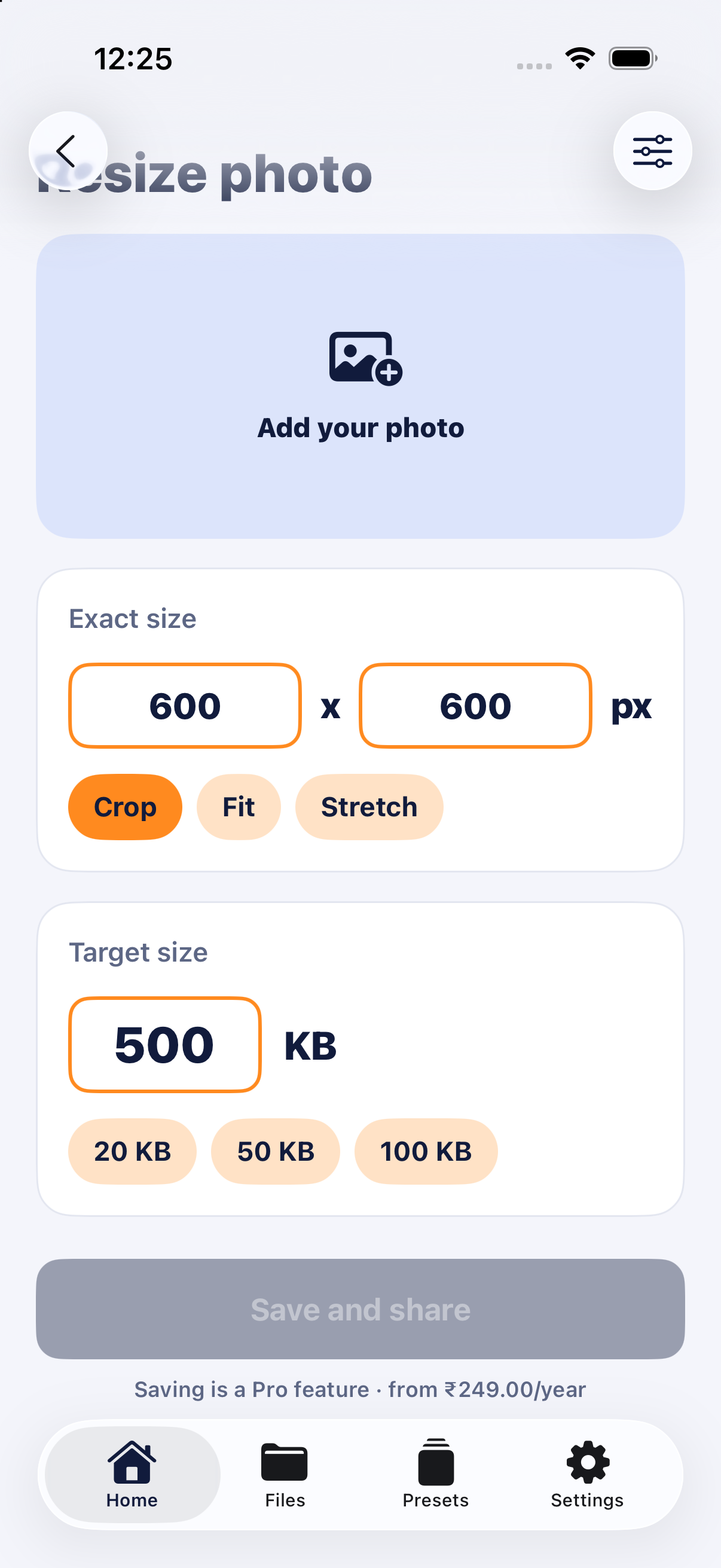
Set exact pixel dimensions and choose Crop, Fit or Stretch. Add a size limit in the same step.

Images to PDF

Turn several photos into one clean PDF. Put the pages in the order you want before you save.

Merge PDFs

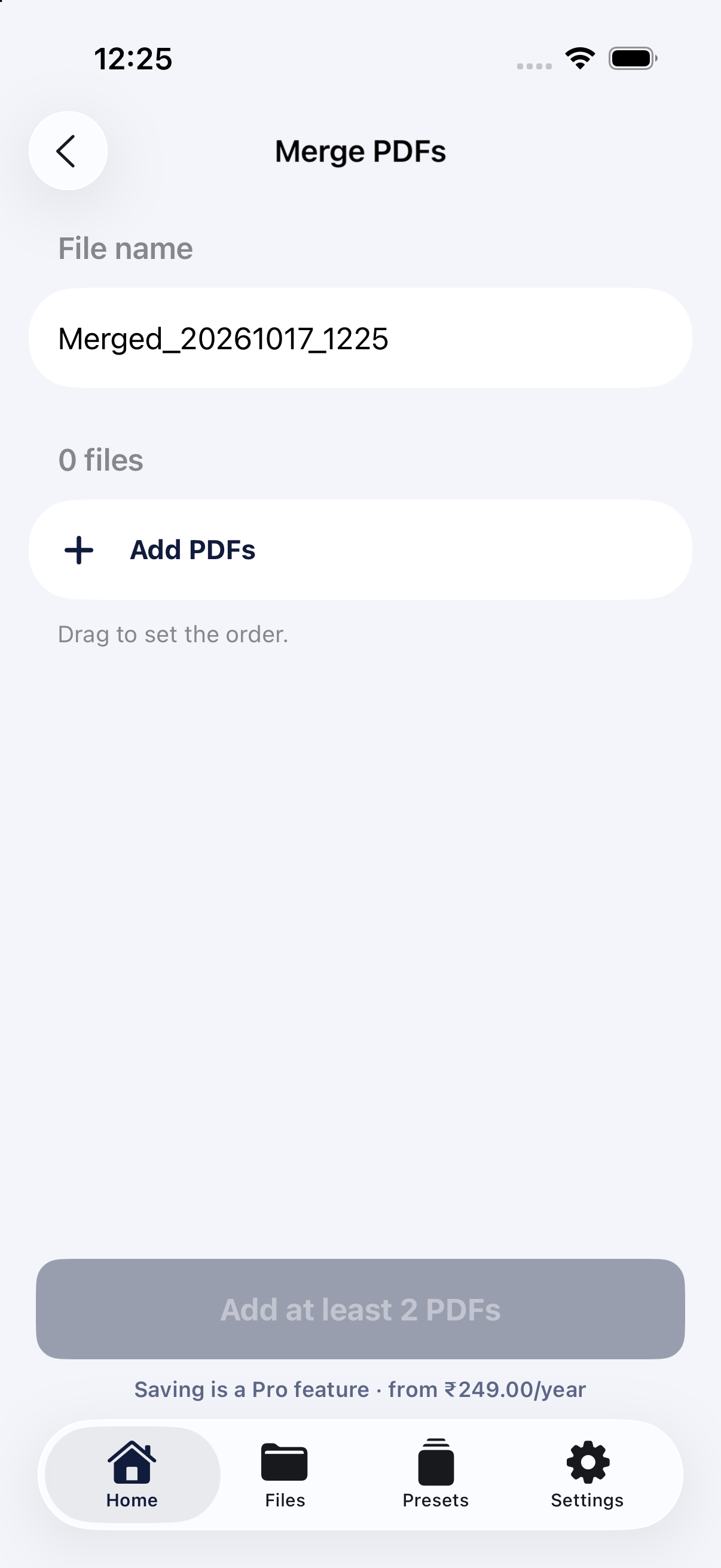
Combine several PDFs into one file. Drag to set the order and name the result.

Inside the app

Clean, focused and simple.

Each tool does one job, with no clutter and no learning curve.

Home screen
HomeEvery tool, one tap away
Resize photo screen with exact pixel and target KB inputs
Resize photoExact pixels, exact KB
Merge PDFs screen
Merge PDFsCombine and reorder files
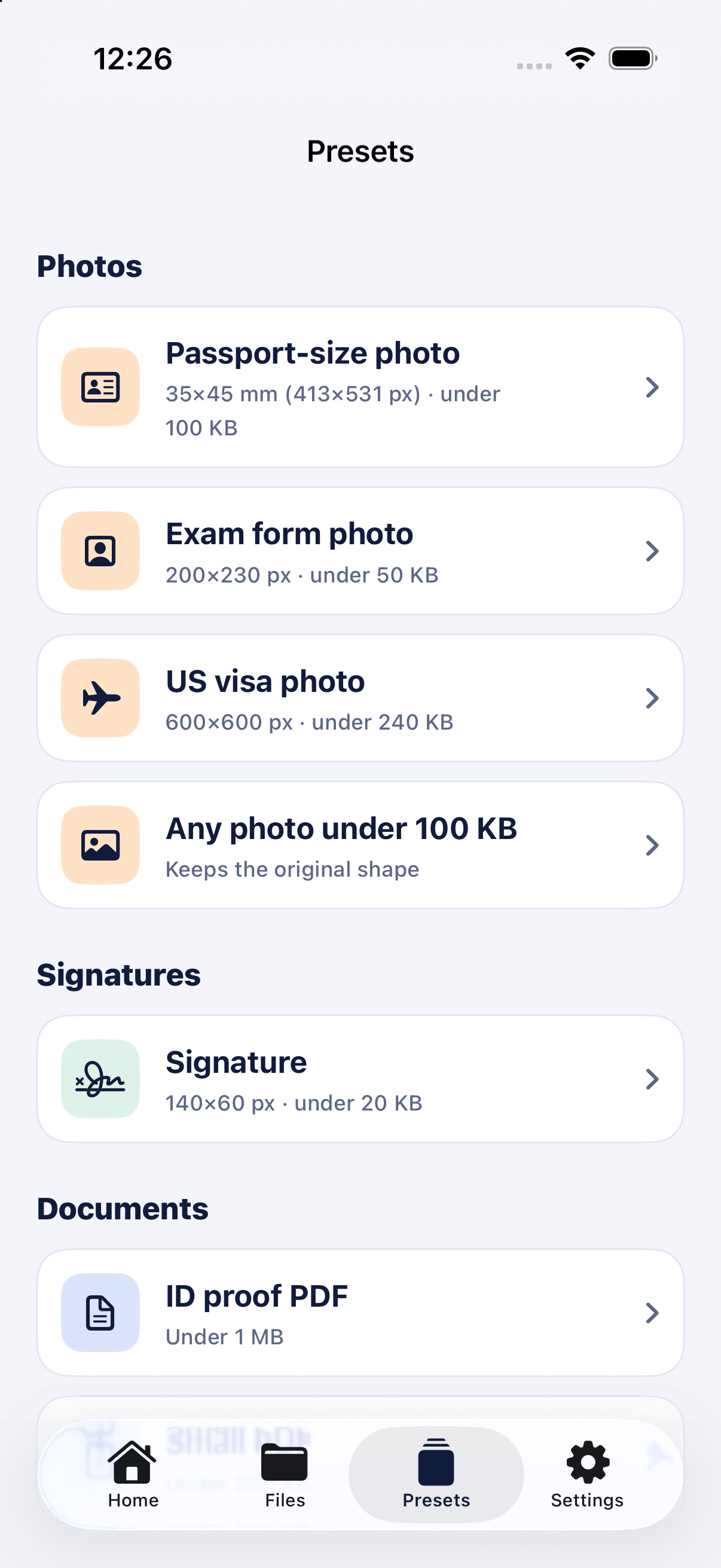
Presets screen listing passport, exam, visa and signature presets
PresetsCommon forms, ready to go
See it in action

From photo to perfect file in three steps.

No settings to look up and no trial and error with online converters.

  1. 1
    Pick a tool or presetChoose what you need, or tap a ready-made preset for your form.
  2. 2
    Add your photo or documentScan with the camera, or import from Photos or Files.
  3. 3
    Save and shareGet a file that meets the requirement, ready to upload anywhere.
Form presets

The right size, already set up.

Common requirements are built in, so you don't have to search for dimensions and file limits.

Passport-size photo35×45 mm (413×531 px) · under 100 KB
Exam form photo200×230 px · under 50 KB
US visa photo600×600 px · under 240 KB
Any photo under 100 KBKeeps the original shape
Signature140×60 px · under 20 KB
ID proof PDFUnder 1 MB
Privacy first

Your documents stay on your phone.

ID cards, certificates and signatures are personal. DocSlim does all scanning, compression and conversion on your iPhone, so your files are never sent to a server.

100% on-device processing
Works without internet
No sign-up, no cloud uploads
Pricing

Try every tool for free.

Explore the whole app at no cost. Upgrade to Pro when you're ready to save and share your files.

Free

₹0

Everything you need to try the app.

  • Access to every tool
  • All form presets
  • Preview your results
Most popular

Pro

₹249 / year

For anyone filling in forms regularly.

  • Everything in Free
  • Save and share unlimited files
  • Scans, compressed photos and merged PDFs
  • Support continued development
FAQ

Common questions

Are my documents uploaded anywhere?

No. All processing happens on your iPhone. Your photos, scans and PDFs are never sent to our servers or anyone else's.

How does "Compress to KB" work?

Enter the maximum file size your form allows, such as 50 KB. DocSlim adjusts quality and resolution to produce the best-looking file under that limit.

What's the difference between Crop, Fit and Stretch?

Crop fills the exact size and trims the edges. Fit keeps the whole image and adds padding where needed. Stretch fills the exact size without cropping, which may change the proportions.

Does it work without internet?

Yes. Because everything runs on your device, every tool works offline.

What do I get with Pro?

Pro lets you save and share the files you create, for ₹249 per year. You can try every tool and preview your results for free before upgrading.
Stop fighting upload limits.

Get your next form done in minutes, not hours.

Download on the App Store